
Hurricane Impact Assessment with GeoAI in ArcGIS Pro#
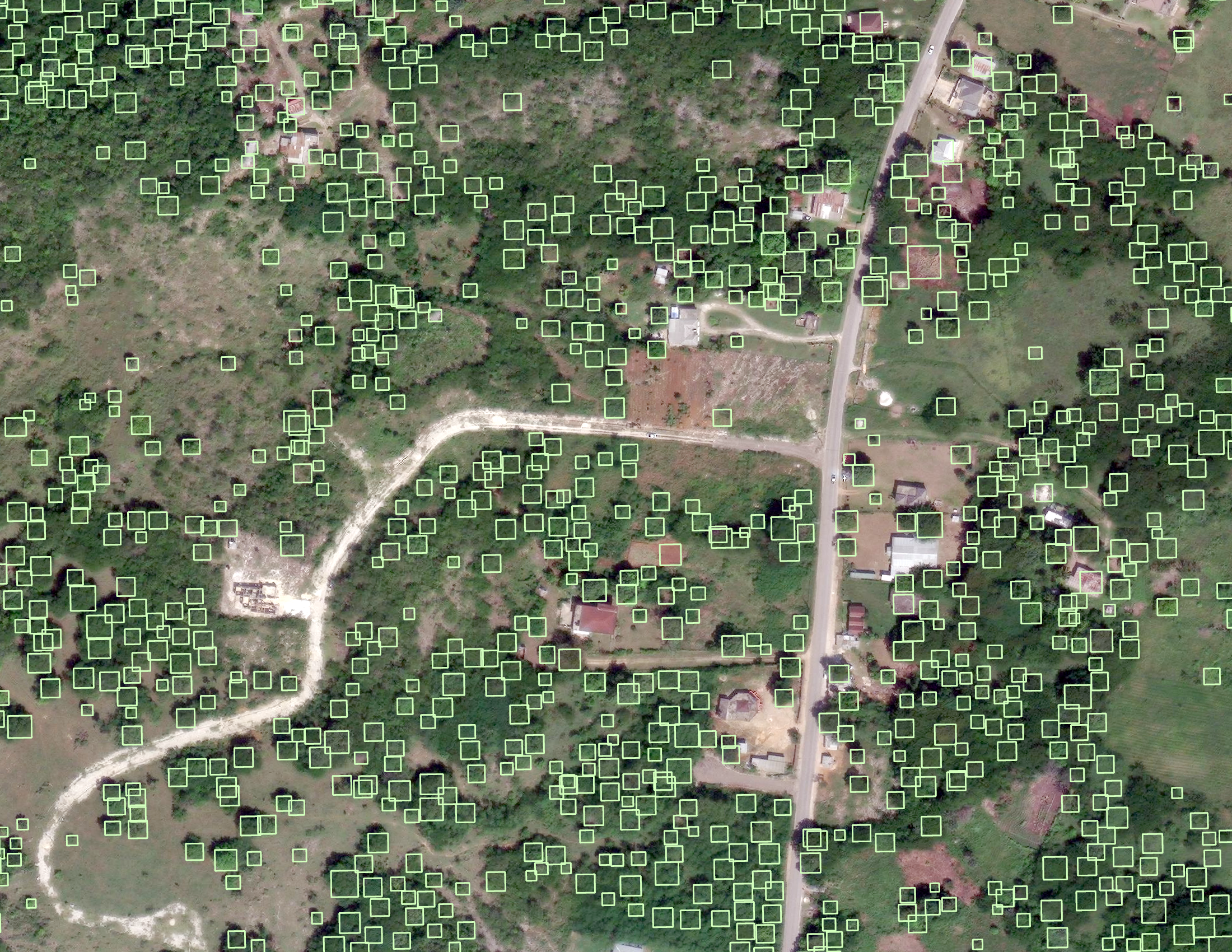
This notebook applies geospatial AI (object detection and segmentation) to quantify tree loss, flooding and debris in high-resolution aerial imagery taken from before and after hurricanes.
Note that the following code requires ArcGIS Pro and Image Analyst, as well as the deep learning libraries installed.
To begin, download the GeoAI models from the ArcGIS Living Atlas:
Then, download the aerial imagery (30-35 cm resolution) from the following sources:
Maxar Open Data Program - a free account is needed to download data from xpress.maxar.com
Add the downloaded imagery to an ArcGIS Pro project and load this notebook.
import arcpy
from arcpy.ia import *
from pathlib import Path
Tree loss:#
Apply the Tree Detection model on aerial images taken at the same area, from before and after the disaster. Then, compare the outputs to see how trees have changed after the disaster.
# Enter the names of your images as they appear in your ArcGIS Pro contents list
# For example:
# images_list = ["hurricane_melissa_20170829.tif", "hurricane_melissa_20171012.tif"]

images_list = []

# Enter to path to your downloaded TreeDetection.dlpk model
# For example:
# model_path = "C:\\Documents\\TreeDetection.dlpk"

model_path = ""

# Enter path to where you want the output tree detections stored (can be a folder or geodatabase)
# For example:
# out_folder = "C:\\Documents\\trees.gdb"
# out_folder = "C:\\Documents\\outputs"

out_folder = ""

# Keep the following the same, or update the model_arguments based on your preferences
# "threshold" refers to the confidence threshold, meaning all detections made with a confidence of the entered value or above will be kept (currently, >10%)

model_arguments = "padding 100; threshold 0.1; nms_overlap 0.1; batch_size 4; exclude_pad_detections true; test_time_augmentation false"
run_nms = "NO_NMS"
confidence_score_field = "Confidence"
class_value_field = "Class"
max_overlap_ratio = 0
processing_mode = "PROCESS_AS_MOSAICKED_IMAGE"

# No changes needed below
arcpy.CheckOutExtension("ImageAnalyst")

# Loop through each image and apply the tree detection model, exporting to the output folder or geodatabase
for image in images_list:
   # Output detections as shapefile
   # Note: Using Path(image).stem to remove the file extension
   out_detected_objects = f"{out_folder}\\trees_{Path(image).stem}"

   print("Detecting trees...")
   DetectObjectsUsingDeepLearning(image, out_detected_objects,
      model_path, model_arguments, run_nms, confidence_score_field,
      class_value_field, max_overlap_ratio, processing_mode
   )

   print(f"Exported {out_detected_objects}")
Segmentation based on prompt (debris, flooding, etc.)#
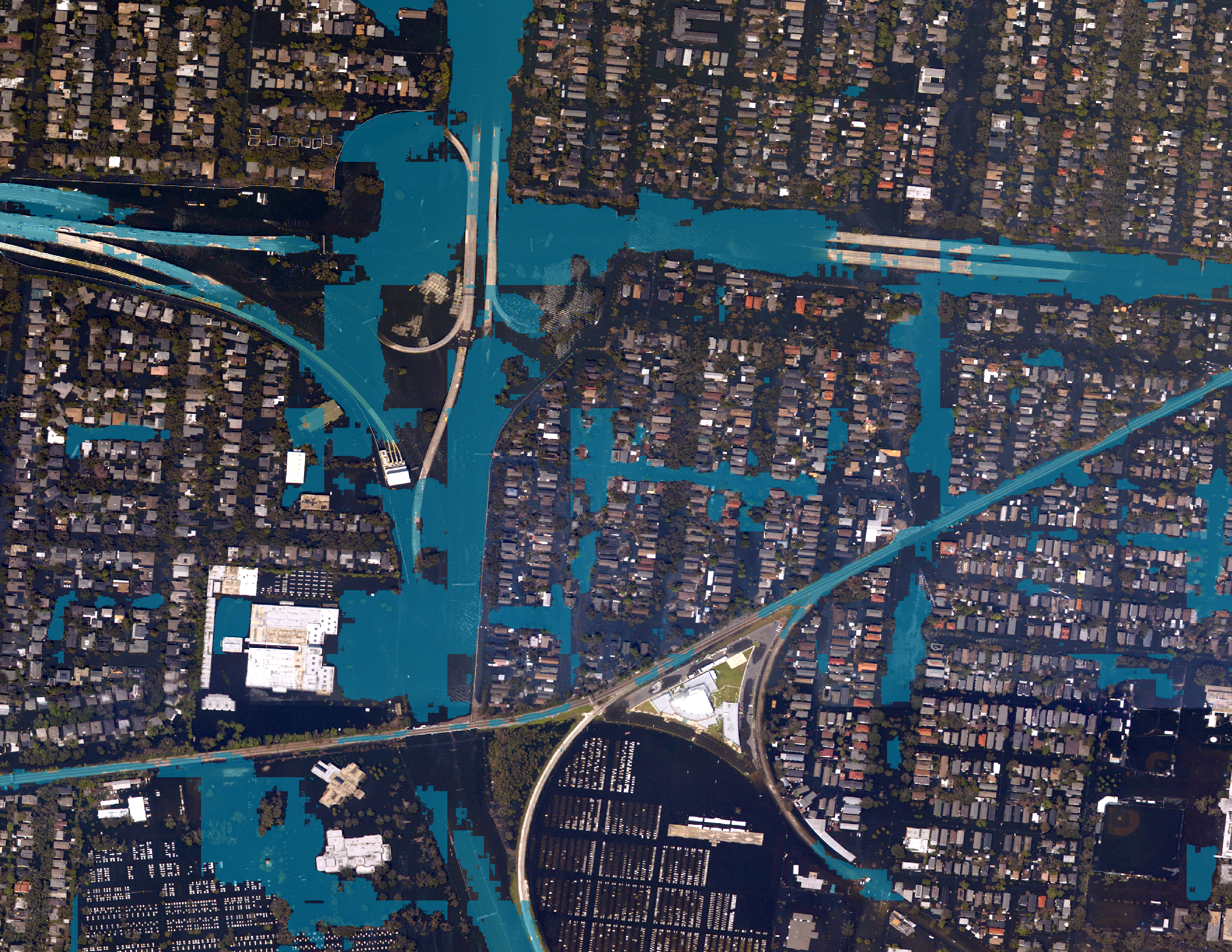
Apply the Prompt-Based Segmentation to find “debris,” “flooded roads,” or other impacts in the post-disaster images.
# Enter the names of your images as they appear in your ArcGIS Pro contents list
# For example:
# image = "hurricane_katrina_20050831.jpg"

image = ""

# Enter to path to your downloaded PromptBasedSegmentation.dlpk model
# For example:
# model_path = "C:\\Documents\\PromptBasedSegmentation.dlpk"

model_path = ""

# Enter the prompt and confidence threshold you want to use
# For prompt, use single quotation marks if your prompt is more than 1 word
# For example:
# model_arguments = "prompt debris; confidence 0.5"
# model_arguments = "prompt 'flooded roads'; confidence 0.5"

model_arguments = "prompt ''; confidence 0.5"

# Enter path to where you want the output tree detections stored (can be a folder or geodatabase)
# For example:
# out_folder = "C:\\Documents\\debris.gdb"
# out_folder = "C:\\Documents\\outputs"

out_folder = ""

# No changes needed below
# Apply the model to segment the areas given the prompt you wrote above
result = ClassifyPixelsUsingDeepLearning(
        image,
        model_path,
        model_arguments,
        "PROCESS_AS_MOSAICKED_IMAGE"
)

# Save the output segmentations as a GeoTIFF
# Note: Using Path(image).stem to remove the file extension and replace it with .tif
output = f"{out_folder}\\{Path(image).stem}.tif"
result.save(output)
print(f"Exported {output}")
This code notebook was used to create AI detections featured in this StoryMap: Fallen Trees, Scattered Debris: The Aftermath of Hurricanes